

Mobile applications have become an essential part of everyday life. People use apps for communication, education, banking, shopping, entertainment, business, travel, fitness, and social networking. Since millions of users depend on these applications daily, developers regularly release updates to improve their performance and security.
App update news helps users understand what has changed in their favourite applications. An update may add useful features, correct technical problems, improve privacy settings, or make an app faster and easier to use.
Some app updates are small and focus mainly on bug fixes. Others introduce major changes such as redesigned interfaces, artificial intelligence tools, improved messaging options, and better account protection.
Following reliable app update news can help users decide when to install an update and how to use newly introduced features.
What Is an App Update?
An app update is a newer version of an application released by its developer. Updates are normally distributed through official platforms such as the Google Play Store, Apple App Store, Microsoft Store, or the developer’s verified website.
Developers release updates to keep applications compatible with newer devices and operating systems. They also use updates to respond to user feedback and solve reported problems.
An app update may include:
- New tools and features
- Security patches
- Bug fixes
- Performance improvements
- Design changes
- Privacy controls
- Better device compatibility
- Battery usage improvements
- Updated payment or login systems
The exact contents of an update are usually listed in the “What’s New” or update notes section of an app store.
Why App Update News Is Important
Many users install updates automatically without reading what has changed. While automatic updates are useful, checking app update news can help users understand new settings, removed features, or important security changes.
For example, an app update may change how personal data is collected, introduce a subscription option, or redesign an important menu. Users who are aware of these changes can adjust their settings and continue using the app more confidently.
App update news is particularly useful for:
- Business professionals
- Mobile gamers
- Social media users
- Content creators
- Smartphone reviewers
- Developers and testers
- Online shoppers
- Banking app users
It can also warn users about known update problems, temporary outages, or compatibility issues affecting certain devices.
New Features in App Updates
Adding new features is one of the most common reasons for releasing a major app update. Developers introduce tools that make applications more useful and competitive.
Artificial Intelligence Features
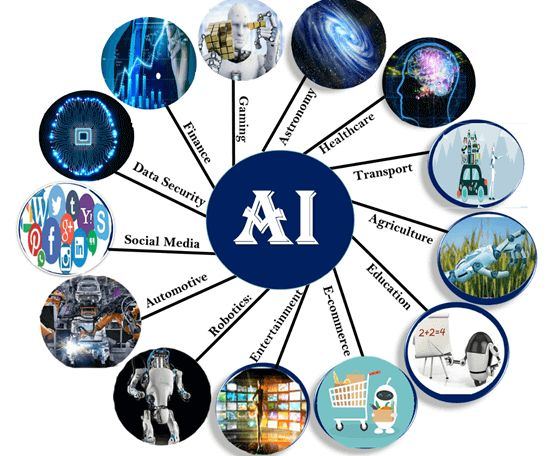
Artificial intelligence has become a major trend in modern applications. Developers are adding AI-powered functions to writing apps, photo editors, browsers, search tools, productivity platforms, and communication services.
AI features may help users:
- Write or rewrite text
- Summarize documents
- Translate conversations
- Edit photos automatically
- Generate ideas
- Organize information
- Search more efficiently
- Automate repetitive tasks
Some AI functions may require an internet connection, a paid subscription, or a newer smartphone.
Improved Communication Tools
Messaging and social media apps regularly receive updates that improve communication.
New features may include:
- Message editing
- Scheduled messages
- Improved group controls
- Voice and video enhancements
- Better file sharing
- New reactions and stickers
- Spam detection
- Privacy-focused chat options
These changes can make online conversations faster, safer, and more expressive.
Better Customization
Modern app updates often give users more control over how an application looks and behaves.
Customization options may include dark mode, colour themes, adjustable text sizes, personalized notifications, layout changes, and home-screen widgets.
These features help users create a more comfortable and personal app experience.
Security Improvements in App Updates
Security is one of the most important parts of app development. Applications may store sensitive information such as passwords, messages, personal photos, payment details, and location data.
Developers release security updates to fix weaknesses that could potentially be exploited by harmful software or unauthorized users.
Security improvements may include:
- Stronger account protection
- Improved password systems
- Two-factor authentication
- Better data encryption
- Protection against suspicious links
- Secure payment processing
- Improved permission controls
- Login activity alerts
Users should install security-related updates promptly, especially for banking, payment, email, cloud storage, and business applications.
Delaying important security updates may leave an app vulnerable to known threats.
Bug Fixes and Stability Improvements
Not every app update introduces visible features. Many updates are released mainly to fix bugs and improve stability.
A software bug can cause an application to crash, freeze, display incorrect information, or fail to complete an action.
Common issues fixed through app updates include:
- Login errors
- Slow loading
- Notification problems
- Camera access issues
- Payment failures
- Broken links
- Incorrect layouts
- Audio or video problems
- App crashes
- Synchronization errors
Even when an update description only says “bug fixes and performance improvements,” it may contain important corrections that make the application more reliable.
Performance and Battery Improvements
Some applications use excessive memory, mobile data, or battery power. Developers monitor app performance and release updates to reduce unnecessary resource usage.
Performance-focused updates may improve:
- App opening speed
- Page loading time
- Battery efficiency
- Background activity
- Data usage
- Video playback
- Touch response
- File downloading
- Overall stability
After a major update, an app may temporarily use more battery while it reorganizes data or completes background optimization. This usually improves after some time.
Users can check their phone’s battery settings to identify applications using unusually high amounts of power.
User Interface and Design Changes
App developers sometimes redesign an interface to make navigation easier. Menus, buttons, icons, colours, and settings may be moved or updated.
A new design can improve usability, but it may also confuse users who are familiar with the previous layout.
Common interface changes include:
- Simplified navigation menus
- Larger buttons
- Updated icons
- Cleaner home screens
- Improved search bars
- Better accessibility
- Redesigned profile sections
- New content recommendations
Reading app update news before installing a major redesign can help users understand where important features have been moved.
App Compatibility Updates
Operating systems such as Android and iOS receive major updates regularly. App developers must update their applications to remain compatible with new system requirements.
Without compatibility updates, an app may crash, display incorrectly, or stop working on a newer operating system.
Developers also improve compatibility with:
- Foldable smartphones
- Tablets
- Smartwatches
- Car displays
- New screen sizes
- Bluetooth accessories
- Updated processors
- New camera systems
Older devices may eventually stop receiving certain app updates when they can no longer support modern requirements.
How to Check for App Updates
Users can manually check for updates through their device’s official app store.
On Android Devices
- Open the Google Play Store.
- Tap the profile icon.
- Select Manage apps and device.
- Open the available updates section.
- Tap Update beside an app or choose Update all.
On iPhone Devices
- Open the App Store.
- Tap the profile icon.
- Scroll to available updates.
- Tap Update beside an app or select Update All.
Users can also enable automatic updates through their phone settings.
Should Automatic App Updates Be Enabled?
Automatic updates are convenient because they ensure users receive important security patches and bug fixes without checking manually.
They are suitable for most users, especially those who regularly connect to Wi-Fi.
However, some users may prefer manual updates when they have:
- Limited mobile data
- Low device storage
- An older smartphone
- Important business applications
- Concerns about major design changes
- Limited battery availability
Manual updating allows users to read update notes and check user feedback before installation.
A balanced option is to enable automatic updates over Wi-Fi only.
Common Problems After an App Update
Occasionally, an update may introduce a new problem. This can happen because developers cannot test every possible device, operating system version, or user condition.
App Keeps Crashing
Restart the phone and check whether another app update is available. Developers often release a quick correction after discovering a serious issue.
App Becomes Slow
Clear temporary cache files and close unused applications. Low storage can also affect app performance.
Login Information Is Removed
Some updates may require users to sign in again for security reasons. Make sure account recovery information is available before updating important apps.
Notifications Stop Working
Review the app’s notification settings and the phone’s permission settings. An update may reset or change notification preferences.
Features Are Missing
A feature may have been moved, removed, or released gradually. Read the update notes and official support information for details.
How to Update Apps Safely
Users should only install app updates from trusted sources. Official app stores check applications for security and provide verified developer information.
Before updating an important application:
- Back up essential data.
- Check available storage.
- Use a stable internet connection.
- Read the update notes.
- Confirm the developer’s name.
- Keep the device charged.
- Avoid unofficial installation files.
Downloading modified or cracked app versions can expose a device to malware, account theft, and data loss.
How Developers Use User Feedback
User reviews and feedback play an important role in app development. When many users report the same issue, developers can investigate the problem and release a fix.
A helpful problem report should include:
- The app version
- Device model
- Operating system version
- Description of the problem
- Steps that caused the issue
- Screenshots when appropriate
Clear feedback allows developers to reproduce the error and create a more reliable solution.
Users should avoid sharing passwords, payment details, or other private information in public reviews.
Conclusion
App update news provides valuable information about new features, security fixes, design changes, performance improvements, and compatibility updates. Following these developments helps users understand how their favourite applications are changing.
Regular updates can make apps faster, safer, and easier to use. They can also correct login errors, crashes, notification problems, battery drain, and other technical issues.
Users should download updates only from official app stores, read update notes, maintain enough storage, and keep important data backed up. By staying informed about app updates, users can protect their devices and enjoy the latest tools with greater confidence.