

Software has become an important part of almost every daily activity. People use software for communication, education, business, entertainment, online shopping, banking, and creative work. However, software must be regularly updated to remain secure, stable, and compatible with modern devices.
The latest software updates are not limited to fixing minor bugs. Technology companies now use updates to introduce artificial intelligence tools, improve privacy, increase battery efficiency, redesign interfaces, and strengthen protection against cyber threats.
Major platforms such as Microsoft Windows, Android, Apple iOS, and Ubuntu continue to receive important updates during 2026. Knowing what these updates offer can help users keep their devices protected while enjoying the latest features.
What Are Software Updates?
A software update is a new or improved version of an operating system, mobile application, computer program, or device driver. It is released by a software developer to correct problems or improve the user experience.
Some updates are small and install within a few minutes. Others are major upgrades that introduce a completely new design, additional features, or significant technical changes.
Software updates commonly include:
- Security patches and privacy improvements
- Fixes for errors, crashes, and technical bugs
- Improved device speed and responsiveness
- New tools and user-interface features
- Better hardware and application compatibility
- Battery and memory management improvements
- Accessibility features for different users
Installing updates regularly helps users get the best possible performance from their devices.
Why Latest Software Updates Are Important
Security is one of the biggest reasons to keep software updated. Developers regularly identify weaknesses that could potentially be misused by harmful programs or online attackers. A security update corrects these weaknesses before they cause serious problems.
Updates can also improve performance. An application that freezes, loads slowly, or consumes too much battery may perform better after its developer releases a fix.
Compatibility is another important factor. New applications, browsers, accessories, and online services may not work properly with outdated operating systems. Keeping software current helps devices communicate with modern programs and hardware.
However, updates should always be downloaded through official system settings, trusted application stores, or verified developer websites.
Latest Windows Software Updates
Microsoft continues to improve Windows 11 through monthly cumulative updates and major platform releases.
The June 2026 cumulative update for Windows 11 versions 24H2 and 25H2 included security fixes, quality improvements, and changes previously tested through optional preview updates. These cumulative packages allow users to receive several improvements through one installation.
Microsoft has also introduced Windows 11 version 26H1. However, it is mainly designed to support new devices and processor technologies arriving in 2026. Microsoft explains that 26H1 is not intended as a normal feature upgrade for existing computers running versions 24H2 or 25H2.
Current Windows improvements are focused on areas such as:
Better Security Protection
Windows updates frequently contain patches that protect system components, accounts, internet connections, and stored information.
AI-Powered Features
Microsoft is gradually adding artificial intelligence capabilities to compatible Windows 11 computers. These tools can assist users with search, writing, productivity, organization, and creative tasks. Some features may require newer hardware and may not be available on every computer.
Improved Performance
Modern Windows releases are being optimized for newer processors, improved battery life, and more efficient multitasking. This is especially important for laptops and portable computers.
Windows users can check for available updates by opening:
Settings → Windows Update → Check for updates
Android 17 and Mobile Software Updates
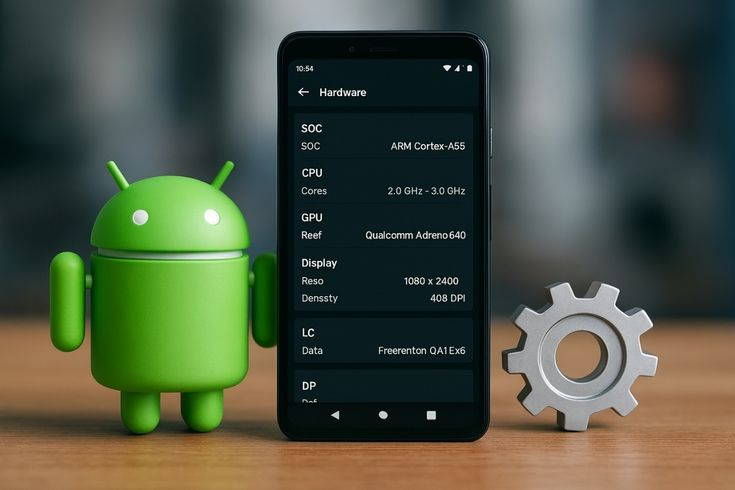
Android 17 is one of the most important mobile software developments of 2026. Google released Android 17 on June 16, 2026, initially making it available for most supported Pixel devices. Updates for phones from other brands depend on each manufacturer’s release schedule.
Android 17 focuses on improving system reliability, application compatibility, privacy, and performance. Google also continues to release Quarterly Platform Releases, commonly known as QPRs, which provide fixes and improvements after the initial Android version becomes available.
Android software updates increasingly include:
- Better protection against suspicious activity
- Improved app memory management
- Stronger control over background processes
- Artificial intelligence integration
- Updates for phones, tablets, watches, and vehicles
- Improved accessibility and communication tools
Not every Android device receives an update at the same time. Google Pixel phones generally receive Android updates first, while Samsung, Xiaomi, Oppo, Vivo, and other manufacturers prepare customized versions for their devices.
Android users can usually check for an update through:
Settings → System → Software Update
The name and location of this option may vary depending on the device manufacturer.
Recent Apple iOS Updates
Apple regularly releases software updates for the iPhone, iPad, Mac, Apple Watch, and other products. These releases commonly contain security corrections, performance improvements, and fixes for reported problems.
Apple released iOS 26.5.2 and iPadOS 26.5.2 on June 29, 2026. According to Apple, the release delivered important security fixes that had also appeared in iOS and iPadOS beta development.
Apple recommends keeping software updated because current versions provide important security protection for supported products. Some updates may differ depending on the iPhone or iPad model being used.
Users can manually check for an iPhone update by opening:
Settings → General → Software Update
Apple also provides automatic update options. Enabling automatic security updates can help protect a device without requiring users to check manually every day.
Before installing a major iOS upgrade, users should back up important photos, contacts, messages, and documents through iCloud or a computer.
Ubuntu 26.04 LTS Software Update
Ubuntu 26.04 LTS, also known as Resolute Raccoon, was officially released on April 23, 2026. It is a Long-Term Support release designed for users who value stability and extended maintenance.
Ubuntu 26.04 LTS is scheduled to receive standard security updates and critical bug fixes for five years, until 2031. Extended maintenance is also available through Ubuntu Pro.
The release includes improvements for:
- Desktop accessibility
- Hardware compatibility
- System security
- ARM64 devices
- Web search from the desktop
- Developer and business environments
Ubuntu’s updated desktop also includes accessibility improvements and a search provider that can begin web searches from the main GNOME interface.
Ubuntu LTS versions are particularly suitable for businesses, developers, servers, schools, and users who do not want to install a major operating-system upgrade every few months.
Artificial Intelligence in Modern Software
Artificial intelligence has become one of the most noticeable software update trends. AI tools are now being integrated directly into operating systems instead of being limited to separate websites or applications.
Modern AI features can assist with:
- Writing and summarizing documents
- Translating text and conversations
- Searching files and settings
- Organizing notifications
- Editing photos and videos
- Detecting suspicious messages
- Automating repetitive activities
These tools can improve productivity, but users should understand their privacy settings. Personal, educational, or business information should only be shared with trusted tools that clearly explain how data is handled.
How to Install Software Updates Safely
Most software updates are simple to install, but a few precautions can prevent data loss and technical problems.
Always create a backup before installing a major operating-system upgrade. Important documents, photographs, login information, and project files should be stored securely.
Make sure the device has sufficient storage and battery power. A laptop or smartphone should remain connected to a charger during a large installation.
Users should also read the official release notes, especially when they depend on specialized programs, plugins, printers, or older hardware. Major updates can occasionally create temporary compatibility issues.
Never download an update from a random advertisement, unexpected pop-up, or unknown email. Genuine operating-system updates should be installed through the official settings menu or developer website.
Conclusion
The latest software updates are helping devices become safer, faster, and more intelligent. Windows updates continue to improve security and modern hardware support, Android 17 introduces new mobile capabilities, Apple is strengthening iPhone and iPad protection, and Ubuntu 26.04 LTS provides a stable platform with long-term maintenance.
Regular updates can protect personal information, fix technical problems, improve application compatibility, and provide access to useful new features. Users should check for updates frequently, download them only from official sources, and back up important files before installing major upgrades.
Keeping software updated is one of the simplest steps anyone can take to maintain a secure, reliable, and modern digital experience.